 Alumanel Docs
Business calendars
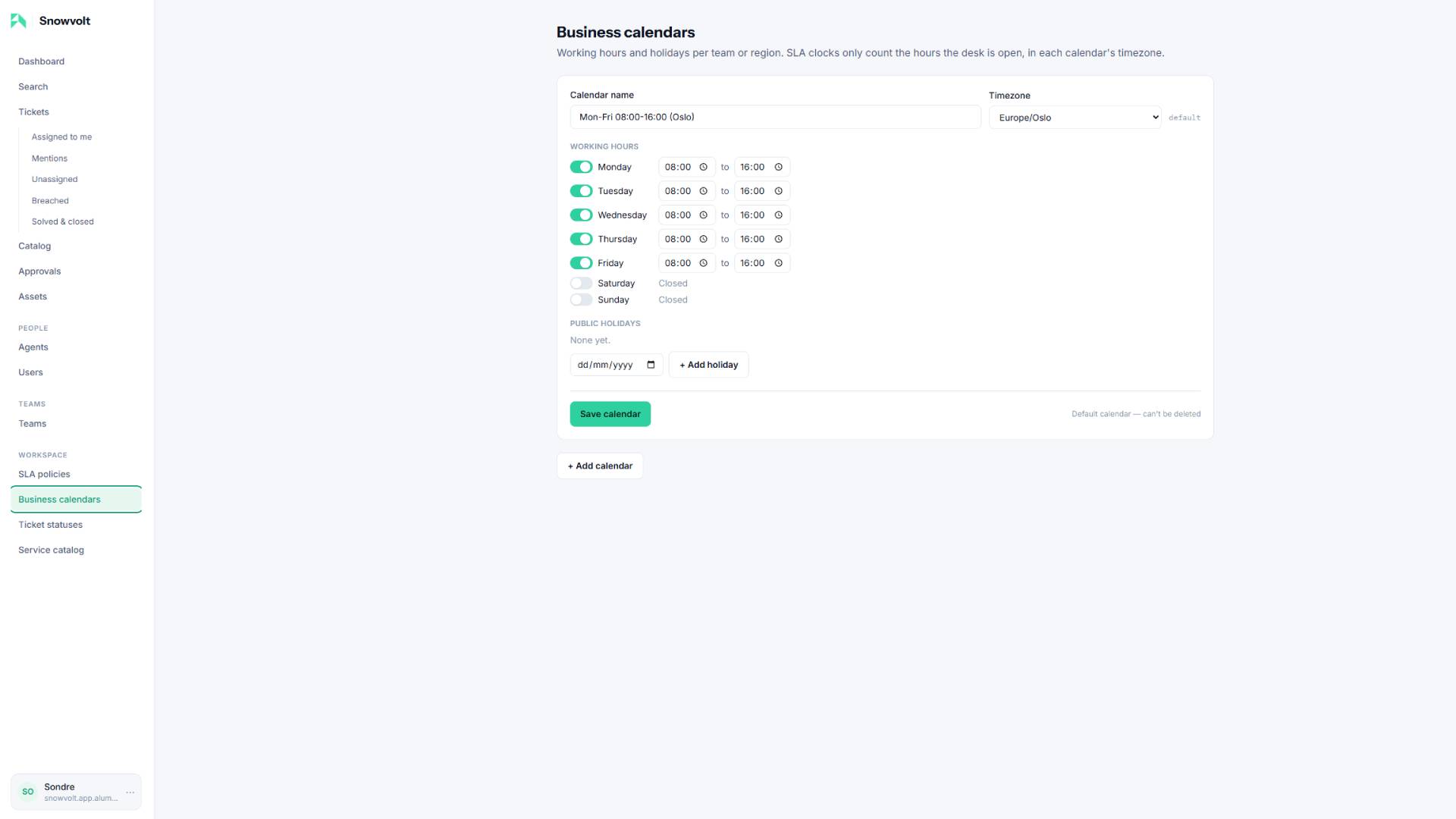
A business calendar describes when a desk is open — its working hours, its timezone, and its public holidays. SLA clocks only tick during these hours. Manage them under Workspace -> Business calendars![hero]
Create a calendar
- Open Workspace -> Business calendars.
- Click Add calendar.
- Give it a name (for example, EU Support or US Support).
- Pick its timezone — all the clock math happens in this timezone.
- Toggle each weekday open or closed and set its open/close times.
- Add any public holidays — the clock skips these days automatically.
- Save calendar.
Per team and per region
Create as many calendars as you need — for example one per region with its own timezone and holidays. Then, on each team page, choose that team's calendar. From then on, tickets for that team measure their SLA against those hours.
Example
- EU Support: Mon-Fri 08:00-16:00, Europe/Oslo, with Norwegian holidays.
- US Support: Mon-Fri 09:00-17:00, America/New_York, with US holidays.
Assign each to the matching team and the same ticket priority can have region-correct deadlines.
Tip: The Default calendar is the fallback for any team without one. It can be edited but not deleted.