 Alumanel Docs
A Service Level Agreement (SLA) is a promise about how fast you respond and resolve. Admins configure SLA policies under Workspace -> SLA policies.
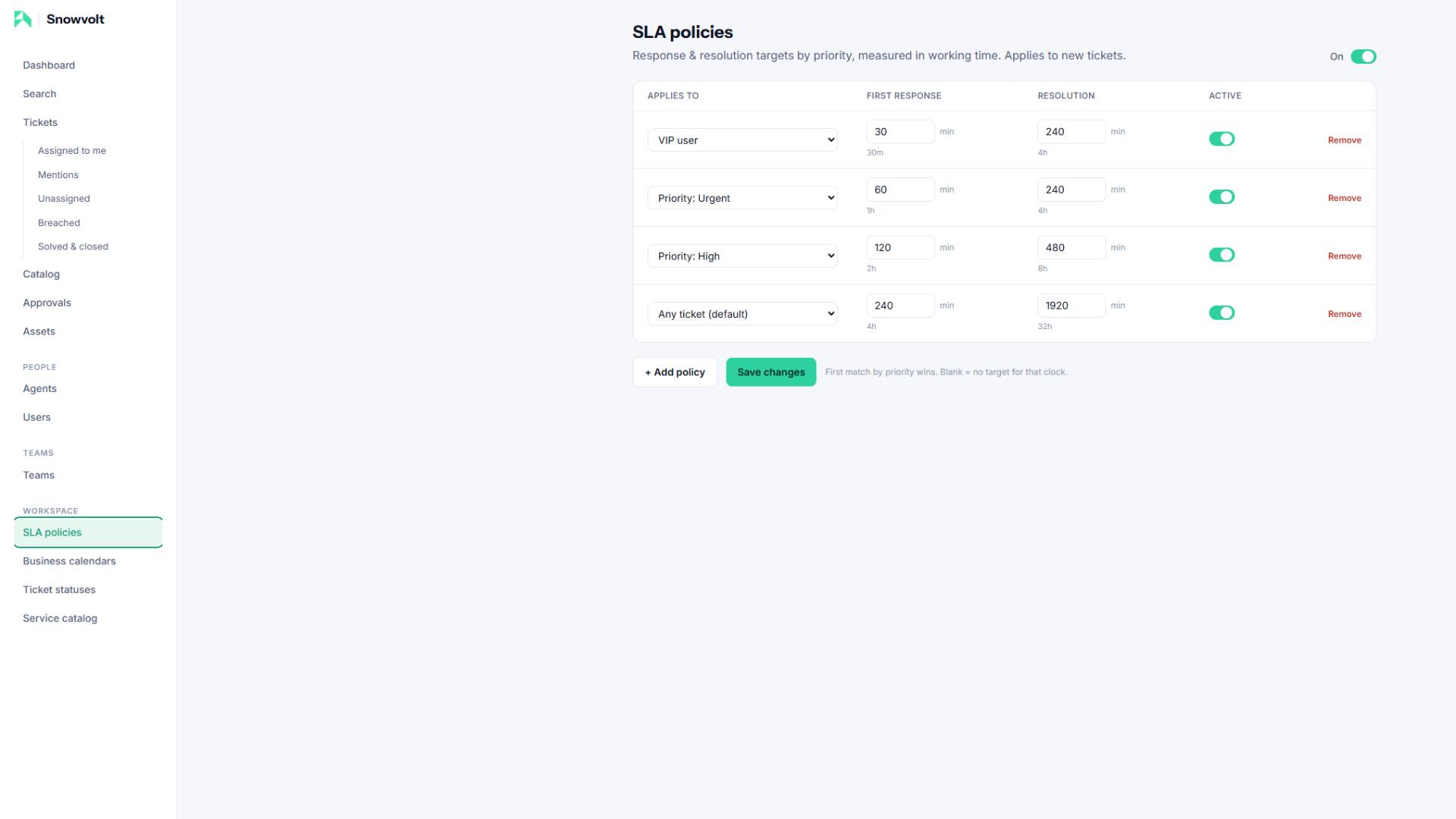
Two clocks per ticket
- First response — how long until an agent first replies.
- Resolution — how long until the ticket is resolved.
Each is set independently, in minutes.
Matching by priority
Policies match tickets by priority (Urgent, High, Normal, Low) or by VIP customer. The first matching policy wins, so put your most specific rules first.
Measured in working time
SLA clocks only count the hours the desk is open. When the desk closes on Friday, the clock stops and does not move again until you open on Monday. Public holidays pause it automatically. This is driven by the team's business calendar.
On the ticket
Each ticket shows a live SLA pill:
- Green — on track.
- Amber — under 25% of the budget remaining.
- Red — breached, with the time over target.
- Grey — paused (a waiting status) or met.
Tip: SLA is a workspace feature your Console admin can switch on or off. When it is off, all SLA UI is hidden.